
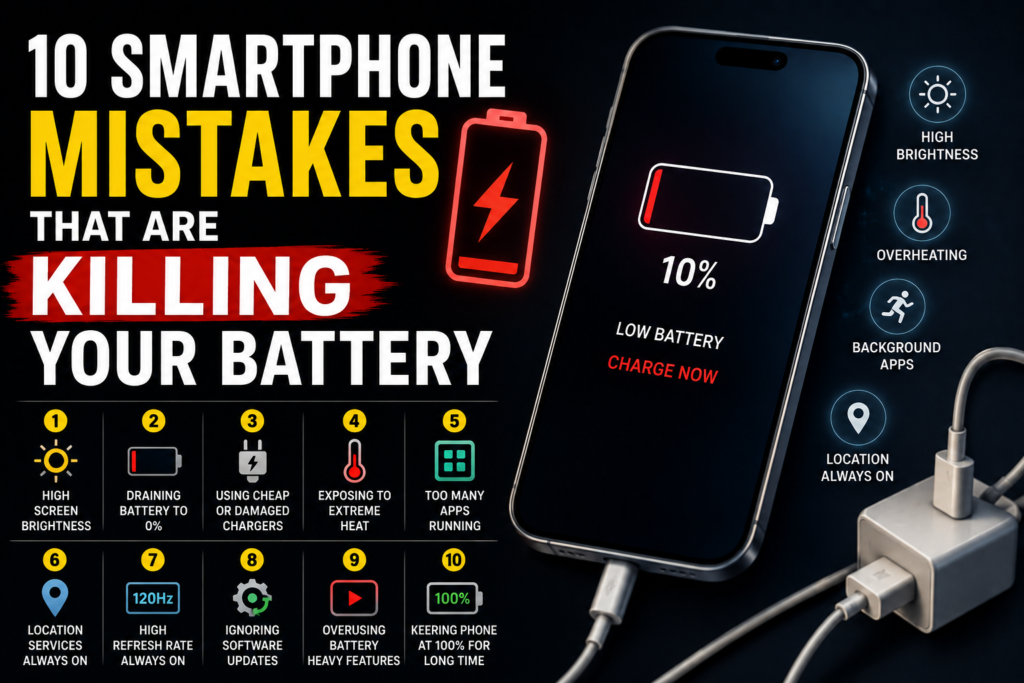
Your smartphone battery seems to run out faster than it used to. You charge it in the morning, use it throughout the day, and suddenly you’re searching for a charger before dinner.
While batteries naturally lose capacity over time, your daily habits can also affect smartphone battery life. Some common charging and usage mistakes may put unnecessary stress on your phone’s battery.
The good news? Most of these habits are easy to change.
Here are 10 common smartphone mistakes that could be draining your battery faster than necessary.
1. Keeping Your Screen Bright All the Time
Your display is one of the biggest consumers of battery power.
Keeping your screen brightness at maximum throughout the day can drain your battery quickly, especially on phones with large, high-refresh-rate displays.
Try using automatic brightness or manually lowering the brightness when you are indoors.
Quick tip: Turn on adaptive or automatic brightness and reduce screen timeout when practical.
2. Letting Your Battery Reach 0% Frequently
Modern smartphones use lithium-ion or lithium-polymer batteries. They don’t need to be completely drained before charging.
Regularly allowing your phone to reach extremely low battery levels can add unnecessary stress over time.
Instead of waiting until your phone is almost dead, consider charging it when it reaches a comfortable level.
3. Using Cheap or Damaged Chargers
Not all charging accessories are created equal.
Low-quality or damaged chargers and cables may not provide the safest or most reliable charging experience. A damaged cable can also become a safety concern.
Use reputable chargers and cables that are compatible with your smartphone.
Quick tip: If a cable is frayed, bent, or unusually hot during charging, replace it.
4. Exposing Your Phone to Extreme Heat
Heat is one of the biggest enemies of battery health.
Leaving your phone in direct sunlight, inside a hot car, or under a pillow while charging can cause temperatures to rise.
Your smartphone may slow charging or display a temperature warning when it gets too hot, but it’s better to prevent excessive heat in the first place.
Keep your phone in a cool, ventilated environment whenever possible.
5. Keeping Too Many Apps Running
Having numerous apps installed isn’t necessarily a problem, but some apps can use battery power in the background.
Social media, navigation, streaming, and location-based apps can occasionally perform background tasks even when you’re not actively using them.
Check your phone’s battery settings to identify apps consuming unusual amounts of power.
Don’t automatically force-close every app, though. Modern smartphone operating systems are designed to manage background apps efficiently.
6. Leaving Location Services On for Everything
Location features are useful for maps, ride-hailing, weather, fitness tracking, and many other services.
However, you may not need every application to access your location all the time.
Review your location permissions and choose options such as “while using the app” when continuous access isn’t necessary.
This can reduce unnecessary background activity while giving you more control over privacy.
7. Using High Refresh Rates When You Don’t Need Them
Many modern smartphones offer displays with 90Hz, 120Hz, or even higher refresh rates.
These settings can make scrolling and animations feel smoother, but they can also consume more power than lower refresh-rate modes.
If battery life is more important than ultra-smooth scrolling, consider using an adaptive refresh rate or a lower setting when available.
8. Ignoring Software Updates
Software updates aren’t just about adding new features.
Manufacturers regularly release updates that can improve system efficiency, fix bugs, and address battery-related issues.
Keeping your operating system and apps updated can help your phone run efficiently.
However, if your battery suddenly drains after an update, give the system some time to complete background tasks and check for additional updates or known issues before assuming the battery itself is damaged.
9. Using Battery-Heavy Features Constantly
Features such as GPS navigation, mobile gaming, video streaming, hotspot usage, and high-quality video recording can consume significant amounts of power.
There’s nothing wrong with using these features. The problem is expecting a small battery to last all day while running demanding applications continuously.
When battery life matters, reduce intensive tasks, lower screen brightness, use Wi-Fi when appropriate, and enable battery-saving features.
10. Keeping Your Phone at 100% for Long Periods
Keeping a smartphone plugged in at 100% for extended periods isn’t necessarily an immediate problem because modern phones have charging management systems.
However, prolonged time at a very high state of charge, particularly alongside high temperatures, can contribute to battery wear over the long term.
Many modern smartphones include optimized or adaptive charging features designed to reduce the time the battery spends fully charged.
If your phone offers such a feature, consider enabling it.
How to Make Your Smartphone Battery Last Longer
You don’t need to completely change the way you use your phone.
A few simple habits can make a noticeable difference:
- Keep your phone away from excessive heat.
- Use reliable charging accessories.
- Reduce unnecessary screen brightness.
- Review apps that consume excessive battery power.
- Use battery saver mode when necessary.
- Keep your phone and apps updated.
- Limit unnecessary location access.
- Use adaptive charging if your phone supports it.
- Avoid demanding apps when your battery is critically low.
- Replace an aging battery when its capacity has significantly declined.
Is Fast Charging Bad for Your Battery?
Fast charging is convenient and has become common on modern smartphones.
Using the manufacturer’s supported charging system is generally the safest approach. However, fast charging can generate additional heat, and heat is a major factor in battery aging.
If you don’t need a quick charge, slower charging can be a practical option, especially in warm environments.
When Should You Replace Your Smartphone Battery?
If your phone suddenly shuts down, loses charge unusually quickly, becomes excessively hot, or struggles to last even with light use, the battery may have significantly degraded.
Before replacing the entire phone, check whether the battery can be replaced or serviced. Many smartphones provide a battery health or battery diagnostics section in their settings.
Final Thoughts
Your smartphone battery won’t last forever. Lithium-ion batteries naturally lose capacity as they go through charging cycles and age.
However, your everyday habits can influence how quickly that happens.
Avoid excessive heat, use reliable charging accessories, manage demanding features, and take advantage of your phone’s built-in battery management tools.
The goal isn’t to obsess over every percentage point. It’s simply to avoid habits that create unnecessary stress on your battery.
A few small changes can help your smartphone battery last longer, keep your phone useful for longer, and reduce the frustration of constantly looking for a charger.